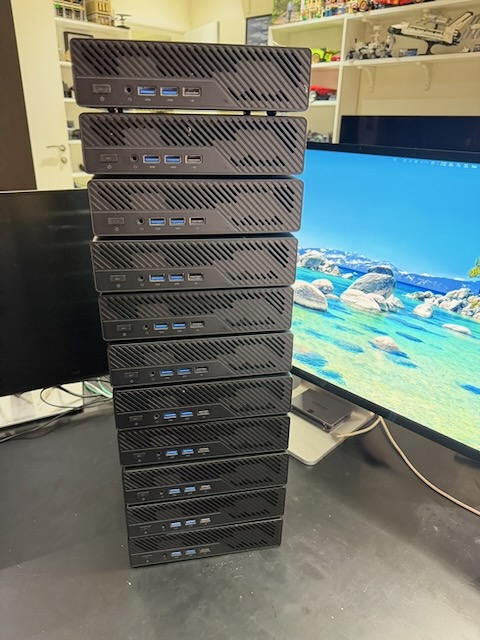
VCF 9.0 introduces new features like vSAN ESA and NVMe memory tiering, but running it on traditional rackmount servers can be costly, loud, and power-hungry. In this post, I’ll walk through how I rebuilt my lab from 4x HPE DL380s to 11x Minisforum MS-A2 MiniPCs where I unexpectedly hit higher performance levels with lower cost, power, and A/C!
Why Retire the DL380 Gen9s?
The DL380s were dual-socket E5-2699v4 boxes with 512GB RAM, running vSAN Hybrid. They served me well, but they were noisy, power-hungry, and required the AC to run 24/7. More critically, they hit a wall with vSphere 9.0 with vendor deprecation of NIC and controller drivers meant there wasn’t a lot of advanced settings I could use to make them any more useful.
My Goals for the New Lab
The aim was simple: build a flexible testbed for VCF 9.0 design validation while keeping it quiet, power-efficient, and flexible. William Lam and others had already demonstrated the potential of MS-A2 systems, and the value proposition was hard to ignore: far lower cost per node, excellent compute density, and compatibility with next-generation features like vSAN ESA and NVMe memory tiering.
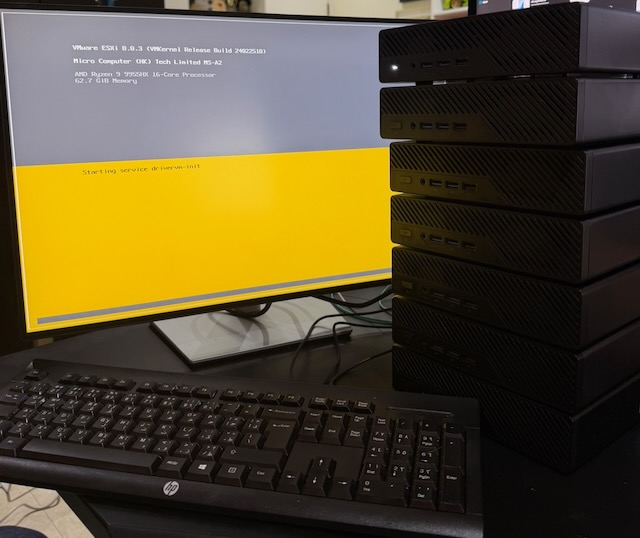
Disclaimer: The Minisforum MS-A2 is not officially supported by Broadcom nor Minisforum for vSphere. It works today, but future compatibility isn’t guaranteed. I’m taking a risk that these nodes will be useful for future years… If they’re not then many family and friends are going to get overspec’d desktop PCs in the coming years!
BOM and Node Design
Each MS-A2 has only 3× NVMe slots. I have 128GB working in my lab, although Minisforum’s public specification currently lists support up to 96GB DDR5, so design choices mattered. Here’s the configuration I settled on (per node):
- MS-A2 Mini PC
- https://minisforumpc.eu/products/ms-a2-mini-pc (939 euro – barebone – 9955HX)
- The Ryzen 9 9955HX is a Gen 5 processor which seems to be the highest EVC mode in vSphere 9.0. I went with it for (hopefully) future compatibility. The 7945HX is a Gen 4 processor.
- I recommend the bare-bone version so you can pick and choose your RAM and NVMe.
- ESX Boot Media – Lexar NM620 512GB NVMe Gen3
- I went with Lexar purely on price (about 36 euro) but also because when I reimage the host it’s easy for the script to only use the Lexar NVMe drive.
- The NVMe Gen3 is overkill in terms of performance. But… ESXi boots faster than I’ve ever seen a host in production!
- I went with 512GB as I know vSphere 9.0 now needs 128GB for its various partitions with 256GB recommended for the future. I also wanted some local storage space in case I wanted to deploy some VMs locally in the future. The 256GB version of this storage would have been 20 euro.
- NVMe Memory Tiering (Optional) – Samsung 990 PRO 2TB NVMe Gen4 (600 AED / 140 Euro)
- The Samsung 990 PRO has DRAM built in so the latency on the storage is measured in microseconds and not milliseconds.
- Given this would be for Memory Tiering I surmised that the fastest possible storage would be appropriate as any sluggishness is going to have a performance impact on a VM.
- vSphere 9.0 now allows 4:1 NVMe, meaning that my 128GB of physical RAM can be augmented by 512GB of NVMe memory.
- I could again have gone with maybe a 1TB NVMe device but usually having more storage on an NVMe devices means higher throughput. The 1TB version is 398 AED (92 Euro).
- vSAN ESA (Optional) – Samsung 990 PRO 4TB NVMe Gen4 (1038 AED / 241 Euro)
- I wanted to use vSAN ESA in the lab. A Gen4 NVMe device (7450/6900 MB/s) is overkill in terms of performance as the 10Gb interfaces on the hosts get saturated easily during a resync activity. I got it for two reasons, performance and capacity.
- The ‘PRO’ version of the 990 means it has a DRAM cache so sustained writes can stay performant.
- The 990 ‘PLUS’ version of this NVMe device would probably be just as good.
- I went with 4TB as I wanted plenty of capacity to run nested ESX hosts in the future but given that ESA compression is so good you could get away for 4x MS-A2 hosts with 2TB of ESA storage each.
- I marked this as ‘Optional’ as if you have NFS storage on a NAS then that would be fine for a VCF 9.0 management cluster.
- Note for a clean deployment you need 3x MS-A2 hosts for vSAN ESA to deploy. William Lam I believe has documented a way to reduce it down to 1-2 hosts with a config setting in the VCF 9 Installer.
- RAM – Crucial CT2K64G56C46S5 DDR5 RAM 128GB Kit (2x64GB) 5600MHz SODIMM CL46 (1520 AED / 353 Euro)
- The Ryzen Gen5 processor can use 5600Mhz memory so this was the highest performing memory for it.
- You can deploy most of the VCF 9.0 stack except for VCFA and VCF Ops for networks on a 64GB node without much issue. The 128GB gives plenty of breathing room before having to rely on NVMe Memory Tiering.
| Component | Model | Notes | Cost (EUR) |
|---|---|---|---|
| MiniPC | Minisforum MS-A2 | Barebone | €939 |
| Boot NVMe | Lexar NM620 512GB | Fast boot media + local storage | €36 |
| NVMe Tier | Samsung 990 PRO 2TB Gen4 | Memory Tiering | €140 |
| vSAN ESA | Samsung 990 PRO 4TB Gen4 | ESA Storage | €241 |
| RAM | Crucial DDR5 128GB (2×64GB) | 5600MHz | €353 |
Prices below are approximate 2025 purchase prices and will drift over time.
Cost per node: ~€1,709 (barebone + components, based on my 2025 purchase pricing).
Performance Gains
The move from Broadwell to Zen 5 has been astonishing. One simple example:
- VMware Cloud Director startup on DL380: ~4.5 minutes
- On MS-A2: ~1 minute 10 seconds
Same VM, just running on new hosts! Night and Day Difference!
Lab Topology
Hosts: 11 Total
- 5x 128GB RAM, 2x dual 10Gb SFP+ NICs (management cluster) the added NICs are from spare Intel X710 NICs
- I could run most of the lab on 3-4 hosts but I wanted to routinely rebuild hosts and use the host removal/addition flows as part of real life testing
- 6x 64GB RAM with dual 10Gb NICs (workload / test domains)
vSphere Versions:
- 7x hosts on ESX 9.0 for management and future workload domains
- 2x hosts on ESXi 8.0 U3 have undergone brownfield ingestion under VCF 9.0 as I need a vSphere 8 environment for VMware Cloud Director workloads
Networking:
- Unifi USW Pro Aggregation – 10Gb SFP+ uplinks
- Unifi EnterpriseXG 24 – secondary 10Gb SFP+
- Unifi US 48 – 1Gb connections
- Router: Unifi Enterprise Fortress Gateway
- The UDP Pro and EFG routers can peer with BGP, a key capability for an NSX lab
Storage:
- vSAN ESA on all MS-A2 hosts
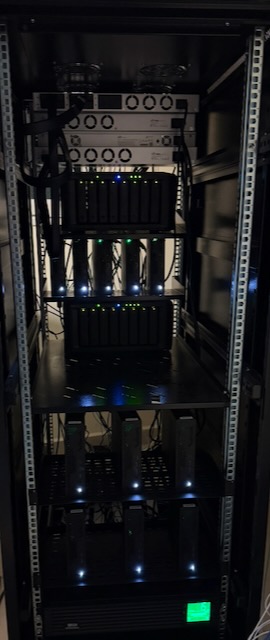
- 2× Synology DS1821+ (25Gb ports, NFS + iSCSI)
Power:
- UPS for hosts
- Unifi USP RPS to keep switch fabric resilient during power blips
What’s Next?
The lab has already been used for VCF brownfield ingestion testing which was very helpful, and it’ll be used for testing:
- New VCF 9.x deployments (management + WLDs) as needed
- Migration from VCD to VCFA when that’s possible
- Private AI Foundation
- Automation (Terraform, Packer, PowerShell)
I’ve also published the follow-up BIOS settings post, including the PXE-related firmware settings that make the imaging workflow reliable.