I hit a vSphere Supervisor upgrade that appeared to stall while applying the new Supervisor image to the ESX 9.0 hosts.
The control plane side was healthy, but vSphere Lifecycle Manager could not finish remediating the ESX hosts. The useful error was in the vLCM/VUM logs:
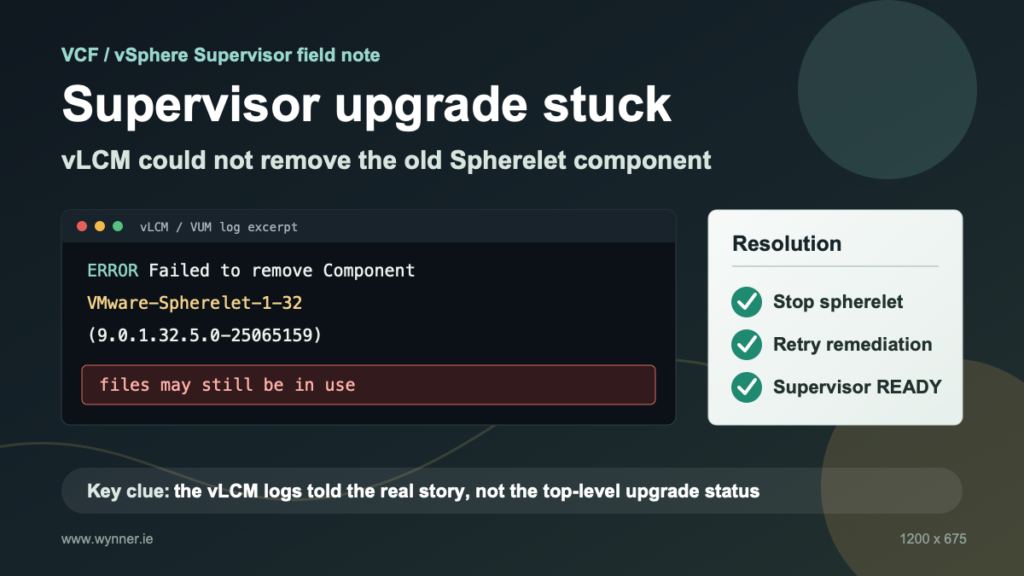
Failed to remove Component VMware-Spherelet-1-32(9.0.1.32.5.0-25065159), files may still be in use.
In this case, the old spherelet component was still active on the affected ESX hosts. Stopping the spherelet service on those hosts released the files, and the Supervisor upgrade was then able to continue.
This is not a replacement for Broadcom GSS support, but it may help someone recognise the failure pattern faster.
Environment
This happened in a VCF/vSphere lab while applying a Supervisor image update.
I was trying to upgrade the Supervisor from v1.32.9+vmware.2-fips-vsc9.0.2.0-25129014 to v1.32.9+vmware.2-fips-vsc9.1.0.0-25370922.
The backing cluster had four vSphere 9.1 ESX hosts. The symptom appeared during the host remediation part of the Supervisor update.
What It Looked Like
In vCenter, the Supervisor update was stuck in a pending or in-progress state. The UI showed that the Supervisor image was being applied to the cluster, but it did not complete.
The Supervisor software API showed the cluster stuck before completion, with a message similar to:
apply call on cluster domain-c10 failed
The more useful evidence was on the vCenter Server Appliance with the WCP log showing that the Supervisor upgrade was waiting on the internal vLCM apply task:
/api/esx/settings/clusters/<cluster-id>/software/solutions-internal?action=apply&vmw-task=true
The vLCM/VUM log showed the real blocker:
Failed to remove Component VMware-Spherelet-1-32(...),
files may still be in use.
vLCM was trying to replace the old Spherelet component, but ESX still had files from the old component mounted or in use.
What Blocked The Upgrade
The upgrade was not blocked by the Supervisor control plane itself. It was blocked during ESX host remediation by vLCM which could not remove the old Spherelet component because the spherelet service on the host was still holding files open.
There was also a stale, deactivated Supervisor Service installed on the cluster in my environment. It had left many broken vSphere Pods behind, which made the host evacuation and remediation picture noisier. I removed that stale service only after checking that there were no tenant Kubernetes clusters or VM Operator VMs using the Supervisor.
That second part may not apply in every environment. The reusable lesson is to look for the first real vLCM host-remediation error, not just the top-level Supervisor update status.
The Fix
On each affected ESXi host, I stopped spherelet:
/etc/init.d/spherelet stop
The successful cleanup output included messages like:
spherelet stopped
Released 4 VMs for Spherelet
ramdisk removed
spherelet cleanup completed with 0 error(s)
After that, WCP/vLCM retried the host remediation and the upgrade continued. Then connect to the affected ESXi host and stop spherelet:
/etc/init.d/spherelet stop
In my lab, I did not need to reboot the hosts. Once spherelet released the old files, vLCM was able to finish applying the Supervisor solution components.
Validation
After the retry completed, the Supervisor software state was healthy:
state: READY
current_version: v1.32.9+vmware.2-fips-vsc9.1.0.0-25370922
messages: []
vLCM compliance was clean:
status: COMPLIANT
impact: NO_IMPACT
non_compliant_hosts: []
The Supervisor nodes were also Ready:
control-plane-node   Ready   v1.32.9+vmware.2-fips
esxi-host-1          Ready   v1.32.5-sph-f4e887d
esxi-host-2          Ready   v1.32.5-sph-f4e887d
esxi-host-3          Ready   v1.32.5-sph-f4e887d
esxi-host-4          Ready   v1.32.5-sph-f4e887d
Things To Be Careful About
Do not remove Supervisor Services or Kubernetes resources just because an upgrade is stuck. First confirm what is actually installed and whether tenant workloads exist.
Do not edit registry or image-pull secrets blindly. In this environment, a few Supervisor Services also had a separate invalid_grant image proxy issue. That was not the blocker for the Supervisor image apply and it’ll be treated as a separate problem for me to deal with tomorrow!
Run this kind of fix in a maintenance window and collect logs first. The useful logs were:
/storage/log/vmware/wcp/wcpsvc.log
/storage/log/vmware/vmware-updatemgr/vum-server/
/var/log/esxupdate.log
Final Takeaway
The top-level Supervisor status only said the update failed. The vLCM logs told the real story.
If a Supervisor upgrade is stuck during host remediation and vLCM says it cannot remove VMware-Spherelet because files are still in use, check whether the spherelet service on the affected ESXi host is still holding the old component open. Stopping spherelet may be enough to let vLCM finish the upgrade.